CRM Suite
Simple To-Dos and a Shared Calendar, Built Right Into Your CRM
Most small teams start with reminders scattered everywhere — a sticky note on a monitor, a phone calendar only one person can see, a mental note that quietly disappears by Thursday. It works until someone's away and nobody else knows what they were meant to follow up on. A shared task list and calendar fix that in a genuinely simple way.
A to-do list your whole team can see
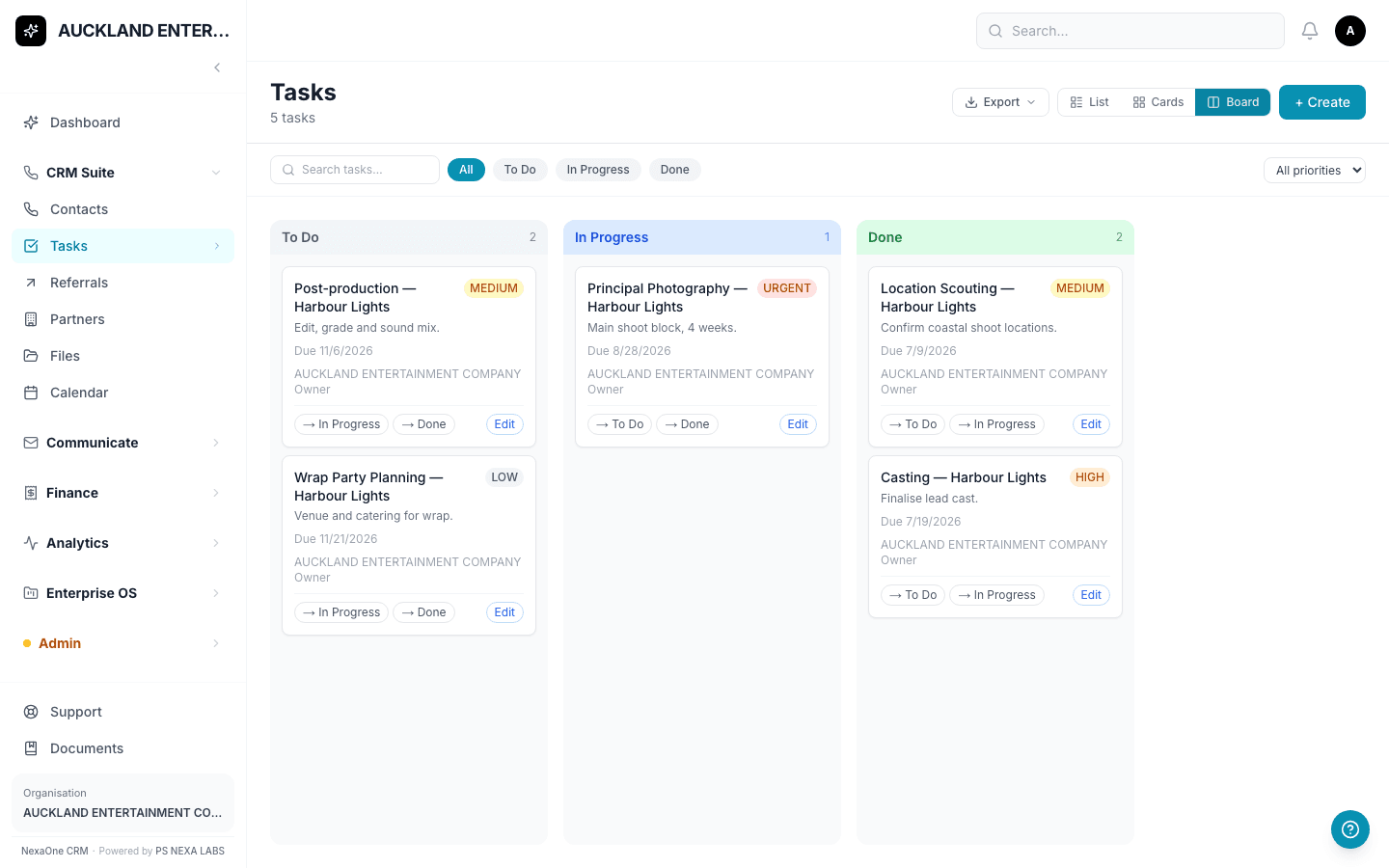
A Task is just a reminder — for yourself, or for someone else on your team. Click Tasks, click + Create, give it a title (the only thing required), and save. If you like, add a description, a due date, a priority from Low to Urgent, and who it's assigned to.
Three ways to look at the same list
Switch between a plain List, colour-coded Cards, or a Board with three columns — To Do, In Progress, and Done. On the Board, small buttons on each card move it straight to the next column, so nobody needs to drag anything if they'd rather just click.
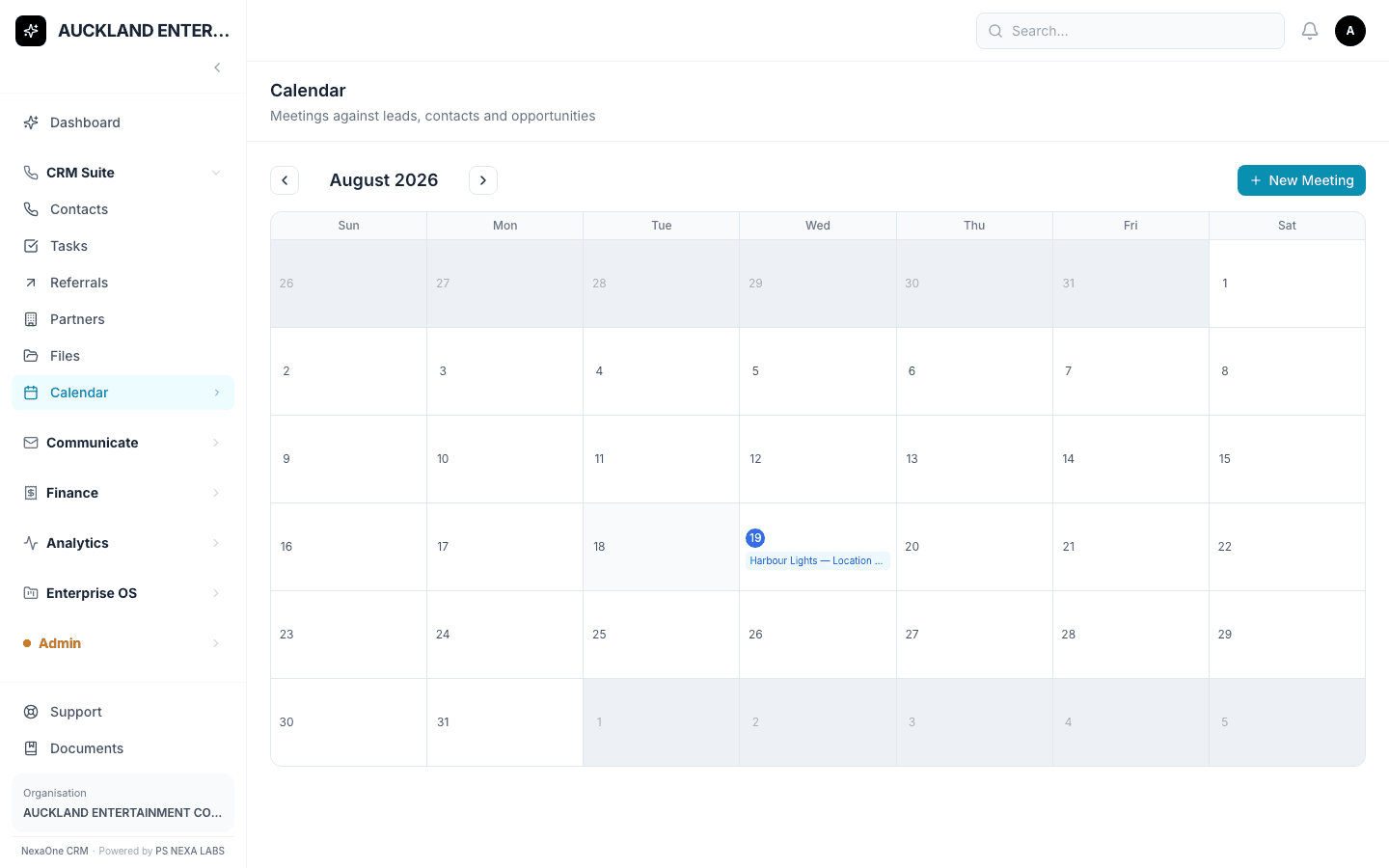
A calendar for booking meetings
Click Calendar for a normal month view, with anything booked showing up on its day. Click + New Meeting, give it a title, pick the date and start/end time, and save. It's worth noting the form doesn't yet let you attach a specific Contact to a meeting — writing their name straight into the title ("Meeting with Jane Smith") works fine until that's added.
Nothing gets missed on a Monday morning
Tasks assigned to you also show up on your Dashboard under "My Tasks Today," so starting the week doesn't mean hunting through old emails to remember what you promised to do.
None of it needs training — if your team can use email, this takes about five minutes to pick up.