Mortgage Suite
Nine Calculators Every Mortgage Broker Actually Needs — In One Place
Ask a mortgage broker how many different calculators, spreadsheets and lender portals they switch between in a single client meeting, and most will lose count. NexaOne CRM's Mortgage Suite puts the common ones in one place, so you're not tabbing between browser windows while a client waits.
The nine calculators
- Repayment Calculator — monthly repayment for a loan amount
- Extra Repayment — how much time and interest extra payments save
- Compare Loans — two loans side by side
- Savings Calculator — how much to save each month to hit a deposit goal
- Offset Calculator — how much an offset account saves in interest
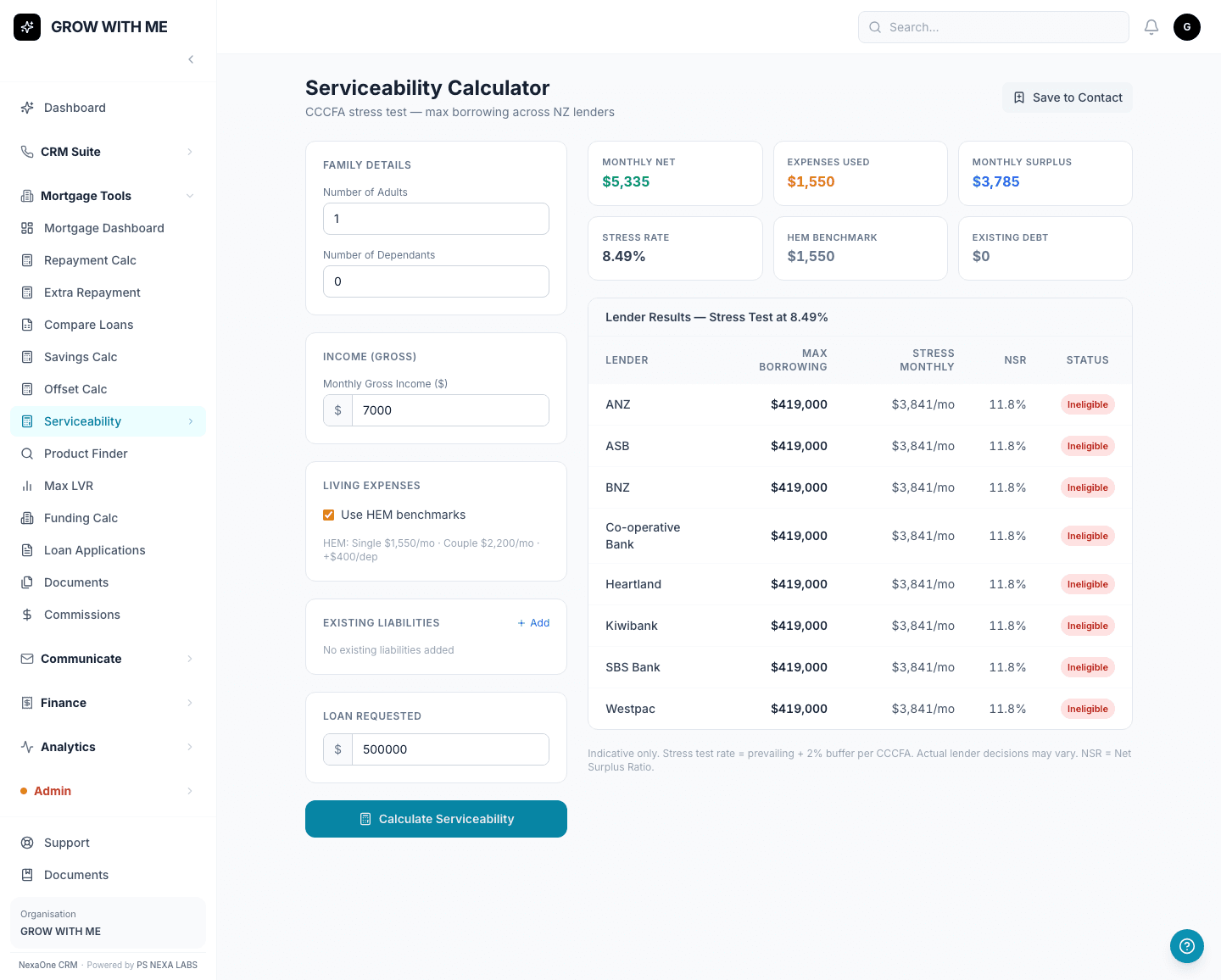
- Serviceability — the most a client could realistically borrow
- Product Finder — which loans match a client's situation
- Max LVR — the most a lender will lend against a property's value
- Funding Calculator — usable equity across a client's properties
How it works in a client meeting
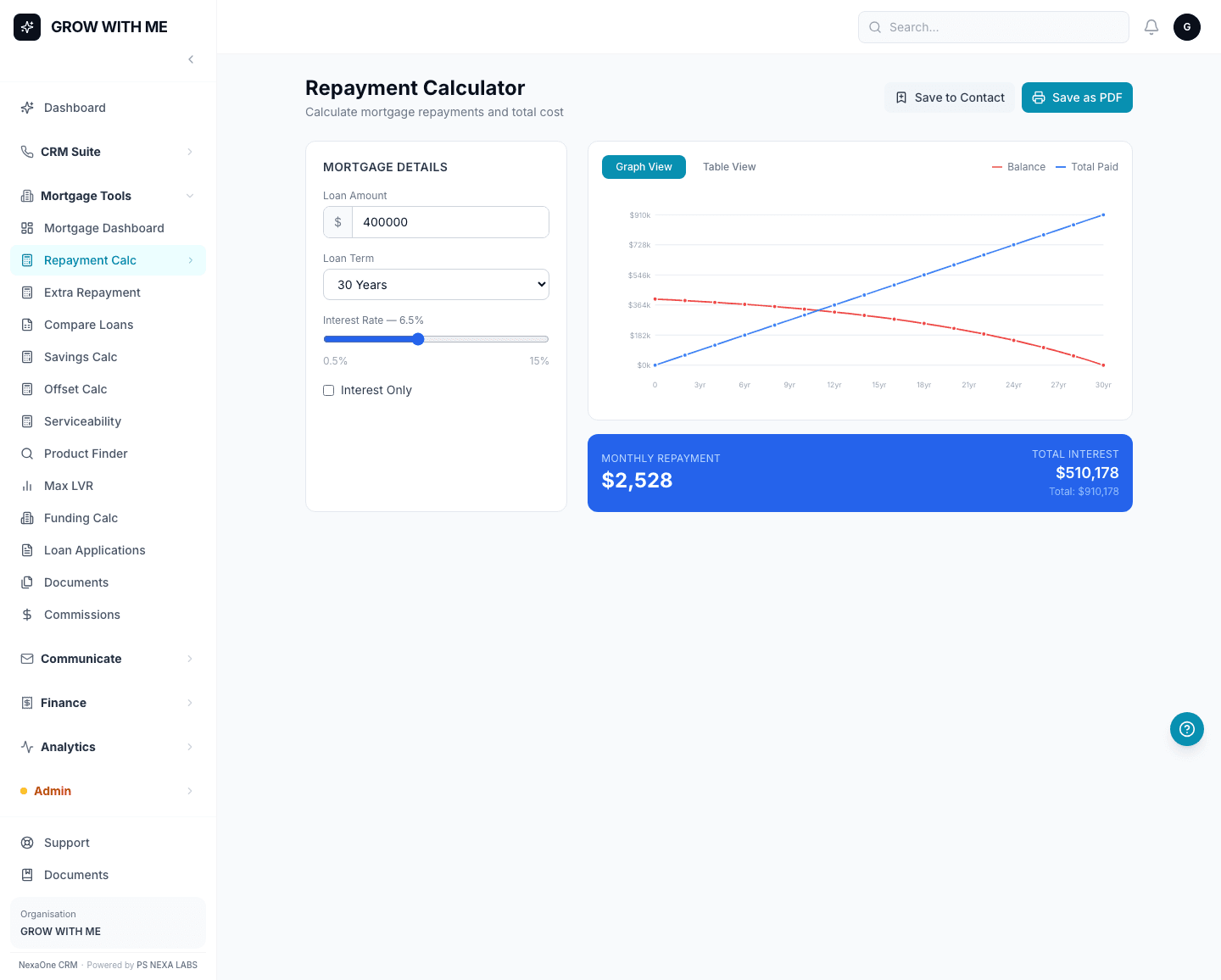
Type in the loan amount, the term, and the interest rate, and the Repayment Calculator shows the monthly figure straight away, with a simple graph alongside it — easy enough to talk through with a client on the spot, no separate app needed.
Working out what a client can actually afford
The Serviceability calculator takes a client's income and expenses and shows what each connected lender would likely be willing to lend them. If every lender comes back "Ineligible," that's the calculator doing its job — it means the loan amount is more than the numbers support, worth a conversation with the client about a smaller amount rather than a lender declining them later.
None of the calculators save anything on their own unless you click a Save button — so they're safe to play with numbers in front of a client without worrying about creating a mess to clean up afterwards.